⚠️ System Error: Brain.exe has stopped responding
Task Overload Protocols
The Scenario: You’re staring at a sink full of dishes, a half-finished application, or a text message you need to send. You want to do the thing. You know you should do the thing. But your brain is stuck on the "Spinning Wheel of Death."
In the GTO Human OS, we call this System Overload. Your CPU is maxed out, your RAM is full of "What Ifs," and your internal task manager has frozen.
The Tagline: When your system stalls, switch to Manual Control.
Most people try to "power through" a stall by yelling at themselves, which only creates more heat and leads to a full system crash. Instead, high-level players pull up the "I Can’t Even" Menu.
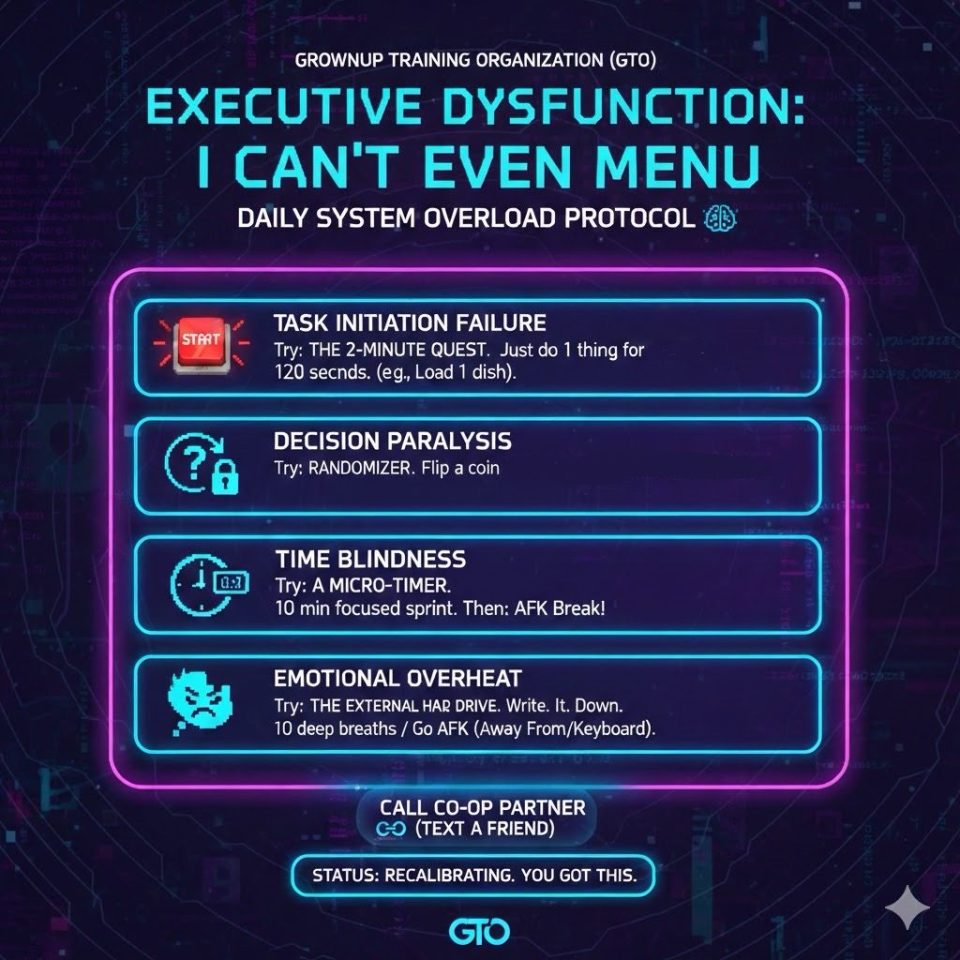
Why it works: Executive dysfunction is usually caused by one of four "bugs":
Task Initiation Failure: The quest looks too big to load.
Decision Paralysis: Too many branching paths in the dialogue tree.
Time Blindness: You’ve lost track of the "Server Time."
Emotional Overheat: Your "Vibe" is too high-heat to process data.
How to Use the Manual Override:
Next time you feel the stall, don't force the system. Pick ONE micro-action from your menu:
The 2-Minute Quest: Can’t clean the room? Just put one sock in the hamper. That’s it.
The Randomizer: Can’t decide what to eat? Flip a coin. Any choice is better than a loop.
The External Hard Drive: Brain too full? Write every single thought onto a physical piece of paper to clear your cache.
Bottom Line: You aren't "lazy," and your hardware isn't broken. You just reached your processing limit. Use the menu, run a diagnostic, and get back in the game.